

























AI Agents in 2026: How Businesses Can Automate Real Work, Not Just Chat
Artificial intelligence has moved beyond simple chatbots and content generation. In 2026, businesses are increasingly exploring AI agents that can understand tasks, work with business systems, make decisions within defined rules, and complete parts of a workflow with limited human intervention.
The real opportunity is not simply adding AI to a business. It is identifying specific processes where AI can reduce repetitive work, improve productivity, and help employees focus on higher-value activities.
What Is an AI Agent?
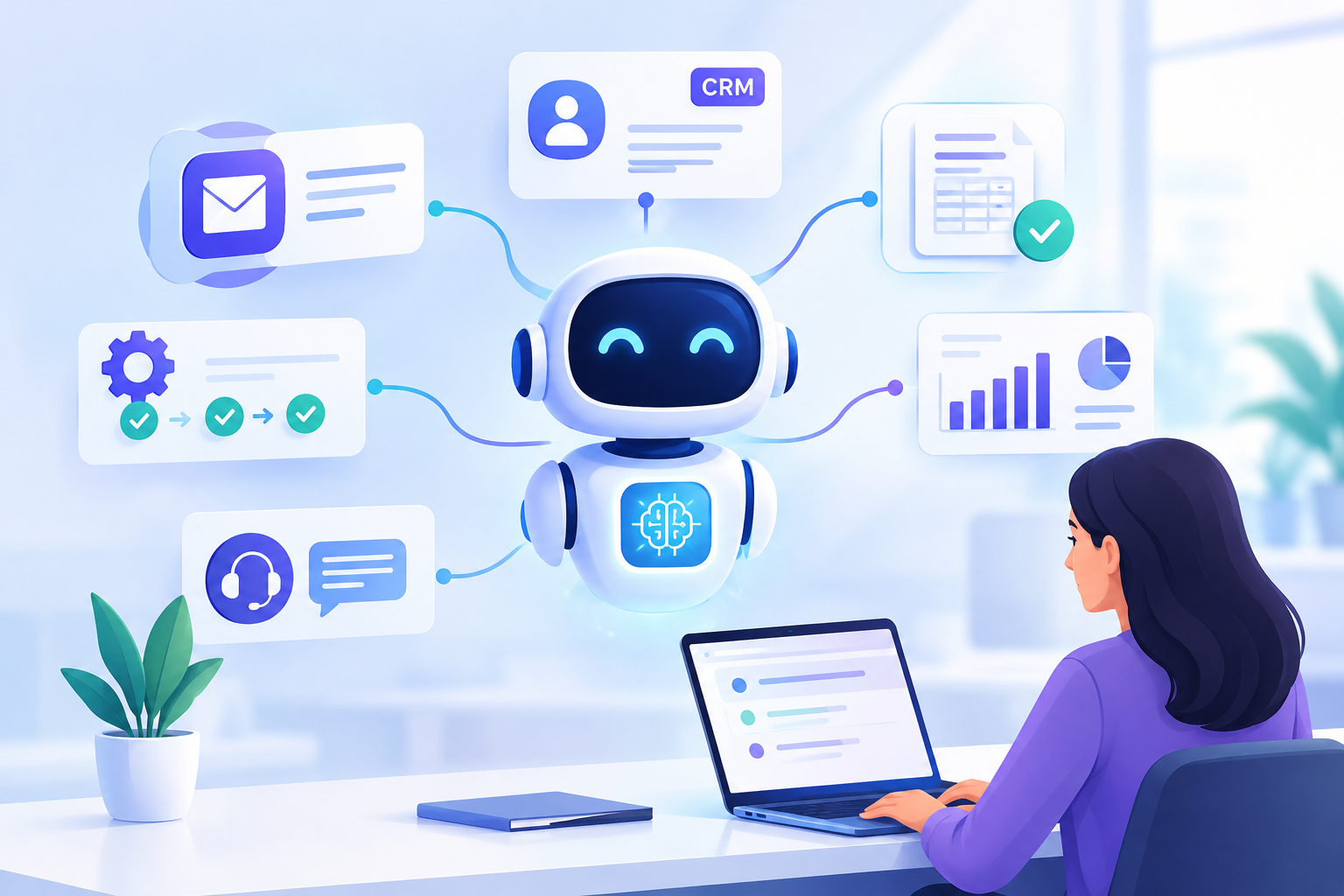
A traditional chatbot generally responds to a user's message. An AI agent can go further by understanding a task, accessing approved information, using business applications, performing multiple steps, and requesting human approval when necessary.
For example, an AI-powered lead management workflow could:
Receive inquiry → Understand requirements → Qualify lead → Update CRM → Notify sales team → Prepare follow-up
The goal is not necessarily to replace people. Instead, AI agents can reduce repetitive work around them.
Why AI Agents Matter for Businesses in 2026
Businesses have already adopted chatbots, generative AI, and traditional automation. The next step is connecting AI directly to business workflows.
Instead of using AI only to generate an answer, businesses can use it to help complete a process.
The opportunity is moving from “AI that answers questions” to “AI that helps get work done.”
7 Business Processes That Can Benefit From AI Agents
1. Customer Support
AI agents can handle common customer requests by accessing approved information from a knowledge base or customer system.
A workflow could look like:
Customer question → Identify customer → Find relevant information → Respond → Escalate when required
Complex or sensitive cases can still be transferred to a human support representative.
2. Lead Qualification
Sales teams often spend significant time reviewing and organizing incoming leads. An AI-powered workflow can collect information, qualify leads based on predefined criteria, update the CRM, and notify the sales team.
This can turn a manual process into:
New lead → AI analysis → CRM update → Qualification → Sales notification
3. Email and Document Processing
Businesses receive large volumes of emails, invoices, forms, and documents. AI can help classify incoming information and extract important data.
For example:
Invoice received → Extract information → Validate fields → Send for approval → Update accounting system
Human approval can remain part of the process for sensitive financial actions.
4. Internal Knowledge Search
Employees often spend valuable time searching through documents, internal systems, project information, and company knowledge bases.
A secure AI assistant can provide a single interface for finding approved internal information, helping employees with onboarding, technical support, and everyday questions.
5. Sales Follow-Ups
AI agents can help sales teams manage repetitive follow-up activities.
For example:
Meeting completed → Summarize meeting → Identify action items → Update CRM → Draft follow-up → Request approval
This keeps the salesperson in control while reducing administrative work.
6. Reporting and Data Analysis
Instead of manually collecting information from multiple systems, an AI-powered workflow can gather approved data and prepare reports.
Database + CRM + Analytics → Data collection → Analysis → Report generation → Management review
This can reduce repetitive reporting work while giving teams faster access to useful information.
7. Software Development
AI agents are also changing how software teams approach development. Development teams can use AI tools to assist with code generation, testing, documentation, debugging, code analysis, and other repetitive development activities.
Developers still play an important role in defining requirements, reviewing changes, managing architecture, and maintaining production systems.
AI Agents vs Traditional Automation
Traditional automation usually follows predefined rules:
If X happens → Do Y.
AI agents can handle more flexible situations where the input or required action may vary.
| Traditional Automation | AI Agent |
|---|---|
| Rule-based | Task or goal-based |
| Predictable inputs | Can handle variable inputs |
| Fixed workflows | Can determine next steps within defined limits |
| Usually deterministic | Can use AI reasoning |
In many real-world applications, the strongest solution may combine both approaches.
AI understands the request → Traditional automation executes the approved action.
The Biggest Mistake: Trying to Automate Everything
AI agents are powerful, but not every business process needs one.
A better approach is to start with a specific and measurable problem.
- How much time does the process currently consume?
- How frequently does it happen?
- Does it involve repetitive decisions?
- What systems are involved?
- What happens if an error occurs?
- Where should human approval remain?
- How will the business measure success?
Starting with one well-defined workflow can make it easier to measure the actual value of AI before expanding to additional processes.
Security and Governance Matter
When an AI agent can access your CRM, database, email, or other business systems, security becomes an important part of the architecture.
A production AI agent should have clearly defined:
- Authentication
- Authorization
- Data access rules
- API permissions
- Audit logs
- Human approval points
- Error handling
- Monitoring
- Rate limits
- Failure and rollback procedures
An AI agent that can take actions requires stronger controls than a system that only provides information.
How Businesses Can Start With AI Agents
Successful AI implementation starts with the business process rather than the technology.
1. Identify the Opportunity
Find repetitive, time-consuming activities where automation could create measurable value.
2. Design the Workflow
Define what the AI should handle, what traditional automation should handle, and where human approval is required.
3. Connect Business Systems
Integrate the solution with the required APIs, databases, CRM platforms, communication tools, or internal applications.
4. Build and Test
Develop the workflow and test it against normal scenarios, edge cases, errors, and unexpected inputs.
5. Deploy and Monitor
After deployment, monitor performance, costs, errors, and business outcomes to continuously improve the system.
Is Your Business Ready for AI Agents?
You do not need to build a complicated multi-agent platform to benefit from AI.
Sometimes the biggest opportunity is a small workflow that currently takes employees several hours every week.
The right question isn't:
“Where can we use AI?”
Instead, ask:
“Which business process is costing us time, money, or productivity that could be improved with AI?”
Start With One Workflow
AI agents are becoming an important part of modern business software. However, successful implementation requires more than connecting an AI model to an application.
It requires the right combination of business process design, software engineering, integrations, security, and ongoing monitoring.
If your business has a repetitive workflow involving emails, documents, customer requests, data entry, reporting, or multiple software systems, it may be a good candidate for AI-powered automation.
Ready to Explore AI Automation?
Have an idea for an AI-powered workflow or business automation solution?
Talk to our development team to explore the right architecture, integrations, and implementation approach for your business.
Written by

Shubh